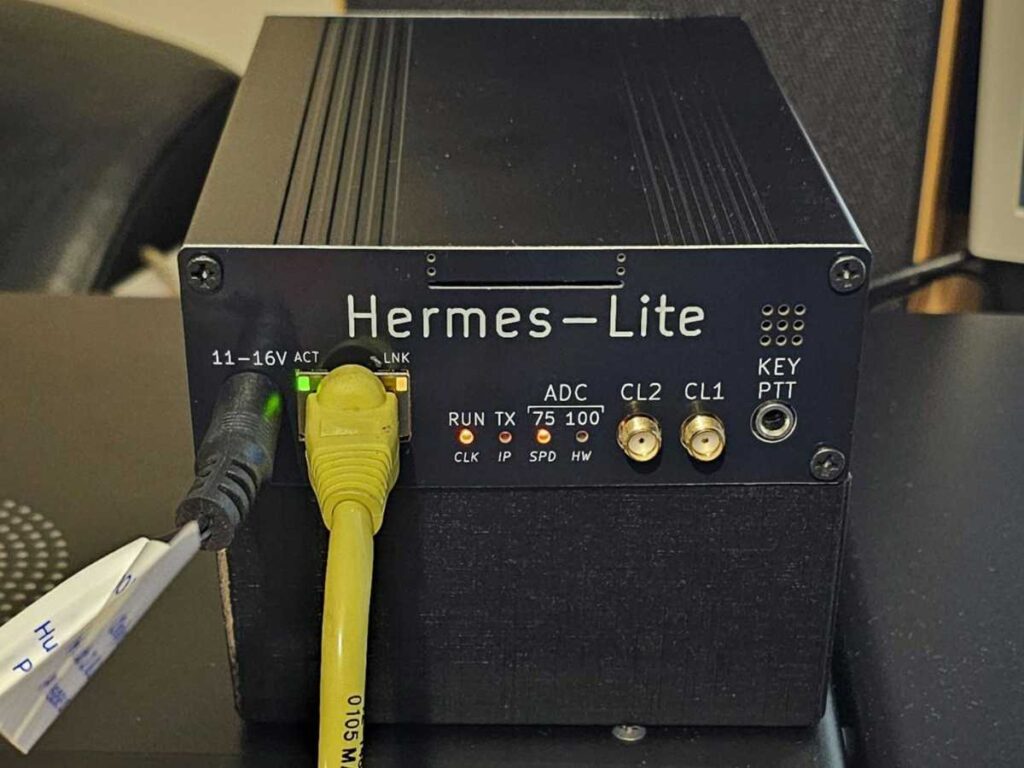
For some time, I had been thinking about operating remotely on HF. I wasn’t interested, however, in the classic setup of leaving a computer running at home, connecting through Remote Desktop and clicking around in radio software with a mouse. That certainly works, but it isn’t particularly convenient, especially if you want to take your phone out of your pocket during a break at work, put on a headset and make a normal QSO.
At first, I considered the official remote interface for my Yaesu FT-710, the SCU-LAN10. It allows the radio to be controlled over a network and, in theory, solves the remote operation problem. The trouble is that the whole system is aimed more at Windows computers or iPads than Android phones. For me, that was a major drawback. I didn’t want to carry an extra tablet around or mess about with a laptop. I wanted to operate directly from my phone, ideally in a way that felt more like using a normal radio than controlling a desktop remotely as a workaround.
I kept looking and eventually came across solutions based on SDR, Thetis and the TCI Remote app for Android. This looked completely different. The phone displays a waterfall, you can tune by touching the screen, there is PTT control, two-way audio and full radio control over the network. In other words, exactly the sort of setup I was looking for.
The turning point came when I heard an operator on the air working remotely in exactly this way. He was somewhere away from home, using an Android phone and making normal SSB contacts. This wasn’t a theory discussed on a forum or a promotional video. It was someone actually operating on the bands. That was when I thought: right, so this really can work.
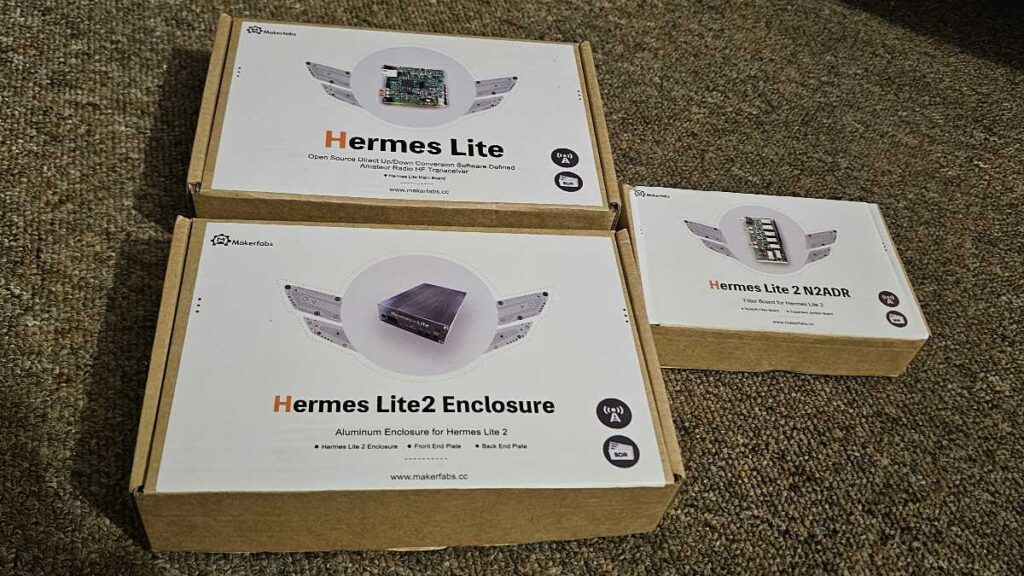
To try it for myself, I decided to buy a Hermes Lite 2. It is a small QRP SDR transceiver producing around 5 watts and designed to work with Thetis. I ordered the main board, an N2ADR filter board and an enclosure. At this stage, I’m not trying to build a complete remote station with an amplifier, tuner and remotely switched antennas. The first stage is much simpler: find out whether Hermes Lite 2, Thetis and TCI Remote can provide a genuinely convenient way of operating from a phone.
I also prepared a separate Windows 10 mini PC and installed Thetis, Log4OM, WSJT-X, TQSL and Tailscale. This computer will remain next to the radio and be accessible remotely. Thanks to Tailscale, I don’t need to expose any ports to the Internet or mess around with port forwarding on the router.
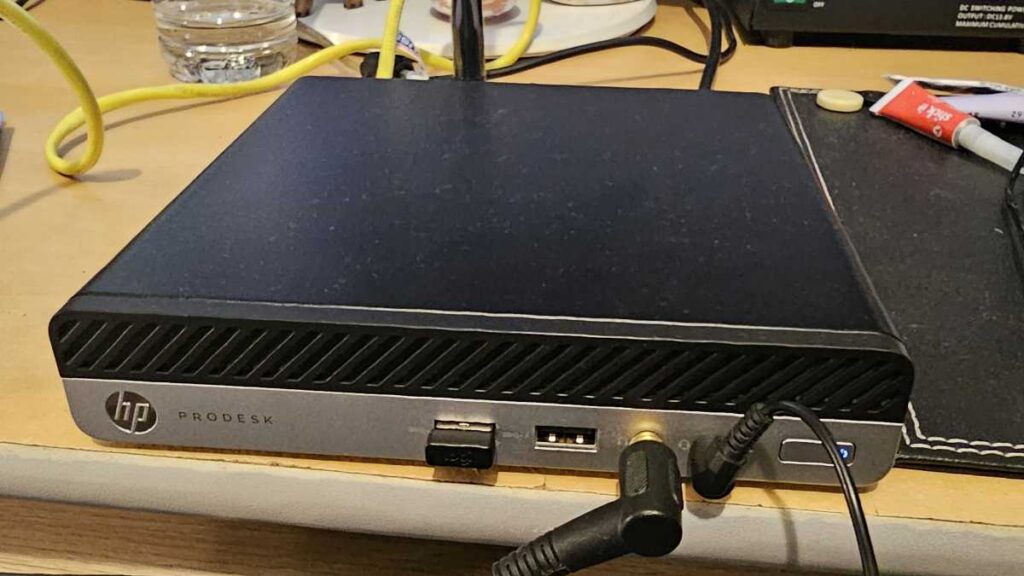
I ordered the Hermes directly from the Chinese manufacturer. About a week later, the package arrived. Hermes Lite 2 comes as a kit consisting of two circuit boards and a metal enclosure. This doesn’t mean soldering tiny SMD components under a microscope, though. You simply have to assemble the parts correctly, screw everything together and make the necessary connections. It took me less than an hour.
I even managed to find a suitable 12 V, 2.5 A power supply at home. I connected the Hermes directly to the mini PC using an Ethernet cable. This brought the first pleasant surprise. I didn’t have to configure the network manually. Windows assigned the network adapter an address in the 169.254.x.x range, the Hermes appeared on the other end of the connection, and ping times were around 1 ms.
I launched the special version of Thetis designed for the HL2 and almost immediately saw the waterfall. Once the antenna was connected, the radio started receiving normally. I even compared the same stations on the Yaesu FT-710, and the difference in receive quality was surprisingly small.
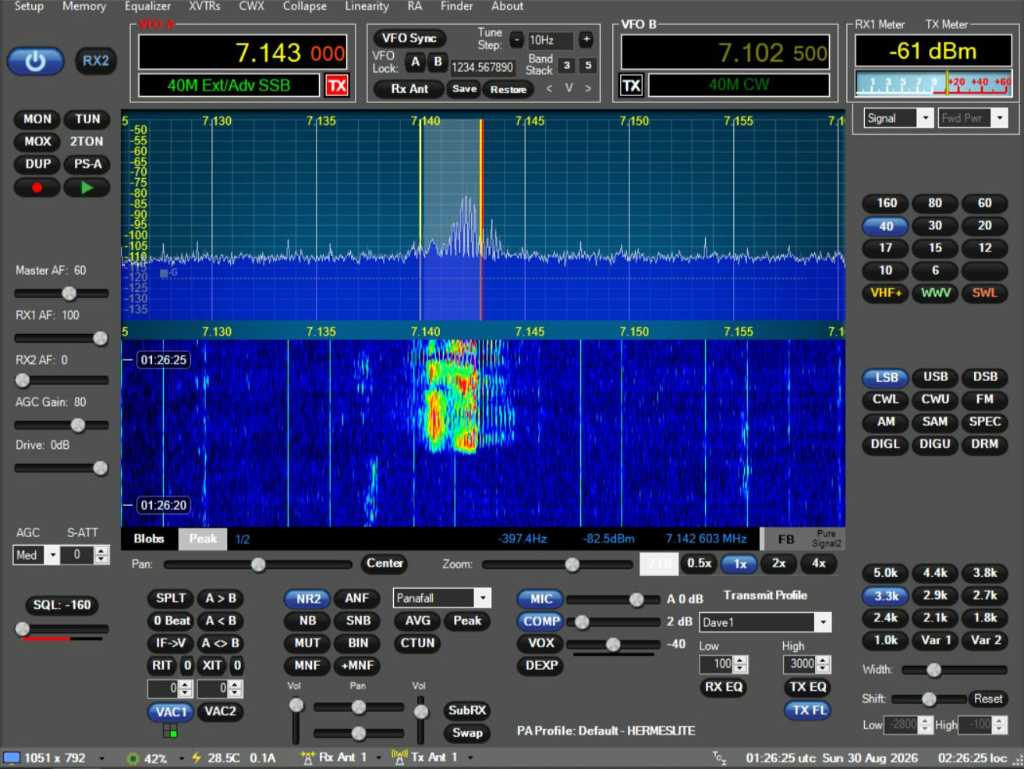
Setting up the audio, VAC and filter widths took a little more effort. For a while, I wondered why SSB sounded as though everyone was speaking from the bottom of a barrel, before noticing that I had accidentally set a 400 Hz filter.
Transmitting was even more entertaining. I set the radio to the full 5 watts, called several strong stations and wondered why nobody was answering. The relay clicked and the TX indicator lit up. Only later did I discover that in Thetis you also have to enable the PA stage separately in the settings. In short, I had been trying to make QSOs without the transmitter actually producing any RF. You never stop learning.
Once the PA was enabled, my external power meter showed a little over 4 watts, while Thetis indicated around 5 watts. SSB modulation worked correctly, but I decided to do the real test using FT8. I connected WSJT-X to Thetis via TCI, without having to mess around with virtual COM ports. To begin with, I reduced the power to just one watt.
And then came the best part of the test. At one watt, a station in Switzerland more than 1,000 kilometres away answered me. I received a report of -2 dB, while I was receiving him at -5 dB. A short while later, PSK Reporter showed my signal being received in many parts of Europe and even across the Atlantic on the east coast of the United States. All on one watt.
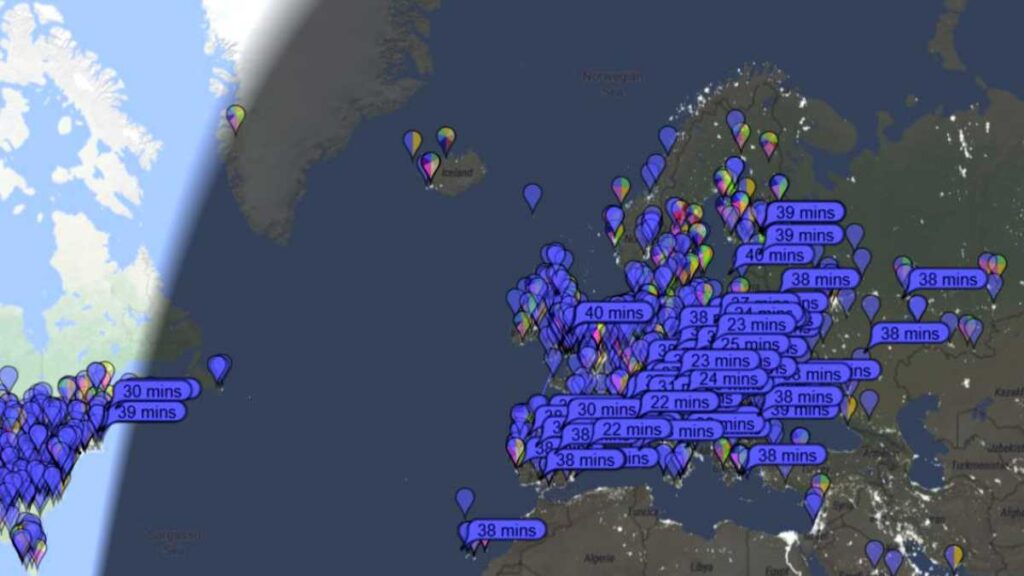
The Hermes temperature stayed at around 35°C while receiving. At one watt it increased only slightly, and at three watts it reached around 43°C. At this stage, I could say that Hermes Lite 2, Thetis and integration with WSJT-X were all working properly. The next step was to get TCI Remote running on my Android phone and test genuine remote operation over the Internet.
On the computer, I installed TCI Remote Compactor, which acts as an intermediary between Thetis and the TCI Remote app on the phone. Among other things, it handles radio control, waterfall data and audio in a way that is better suited to operation over a mobile network. For testing, the free time-limited mode was enough, so I didn’t have to buy the full version straight away, which costs €30.
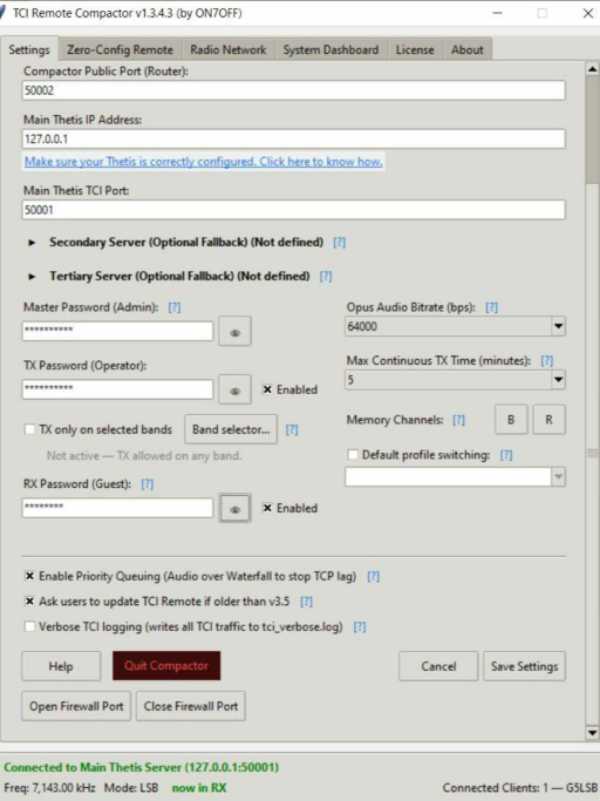
At first, I assumed I would have to forward a port on my router. Compactor, however, includes a Zero-Config Remote Access mode. All I had to do was enter my callsign, generate a PIN and use the same details in the TCI Remote app. Without any port forwarding or extra router configuration, the phone connected to the computer.
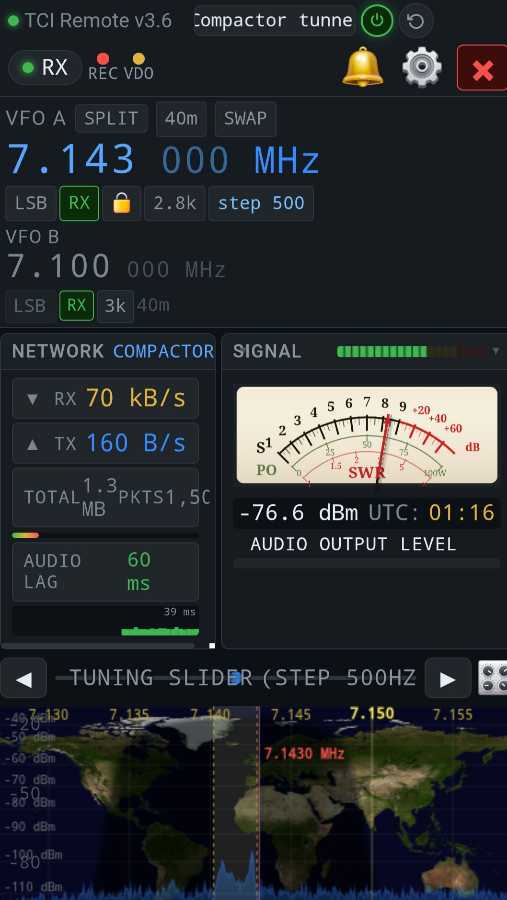
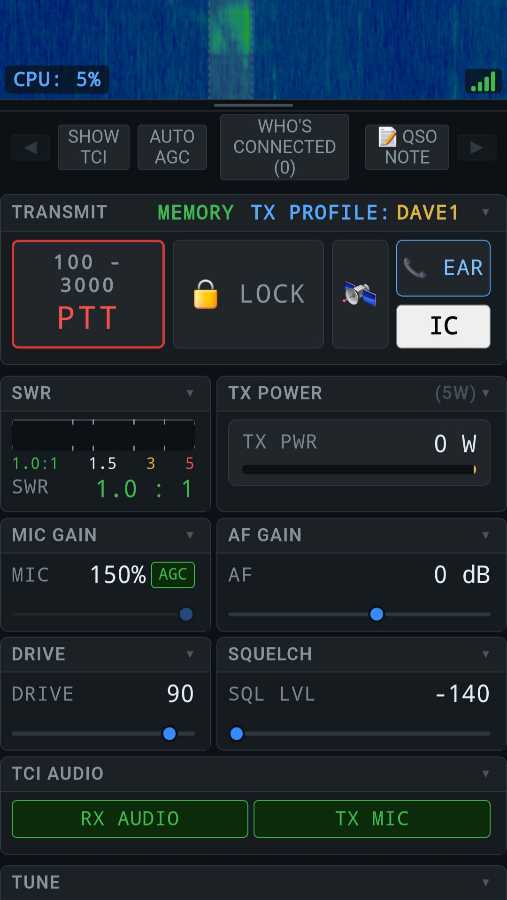
And almost immediately, everything started working. I had the waterfall on the phone, received audio, frequency control and full radio control. When I pressed PTT, I could speak directly into the phone’s microphone and the Hermes switched to transmit normally. I also tested it over the mobile network with Wi-Fi switched off. The delay was small, roughly half a second, so operating still felt very much like using a normal radio.
|
|
There was only one strange problem. After connecting the app, SSB reception suddenly became extremely narrow and sounded very tinny. It turned out that, for some reason, TCI Remote had remembered a filter width of 500 Hz and was forcing that setting on Thetis whenever it connected. After changing the filter in the app to 3.3 kHz, the problem disappeared and never came back.
That meant I had achieved exactly what I had planned from the beginning: full control of the radio from my phone over the Internet. The next step is to test it properly during normal QSOs and add a small amplifier, because five watts on SSB is still fairly limiting.
One Response